We didn’t just make Blog Post AI smarter, we made it brand-aware.
With Brand Board Integration, you can now apply your existing Brand Voice and Design Kits directly while generating AI-powered blog posts. Instead of rewriting AI content or adjusting styling after generation, Blog Post AI now creates content that aligns with your brand from the very beginning.
What’s new
- Apply Brand Voice to AI Blog Generation
Choose an existing Brand Voice when generating a blog post with AI. Blog Post AI will use your brand guidelines to:
- Match your preferred tone and writing style
- Maintain consistent messaging
- Reflect your brand personality throughout the content
- Apply Design Kits to Blog Posts
You can now select a Design Kit directly within the Blog Post AI workflow. This helps ensure generated content aligns with your:
- Visual identity
- Content structure preferences
- Brand presentation standards
- Create Brand Assets Without Leaving the Workflow
Don't have a Brand Voice or Design Kit yet?
You can now create new brand assets directly from the Blog Post AI experience without leaving the page, making setup faster and more seamless.
How to use this feature
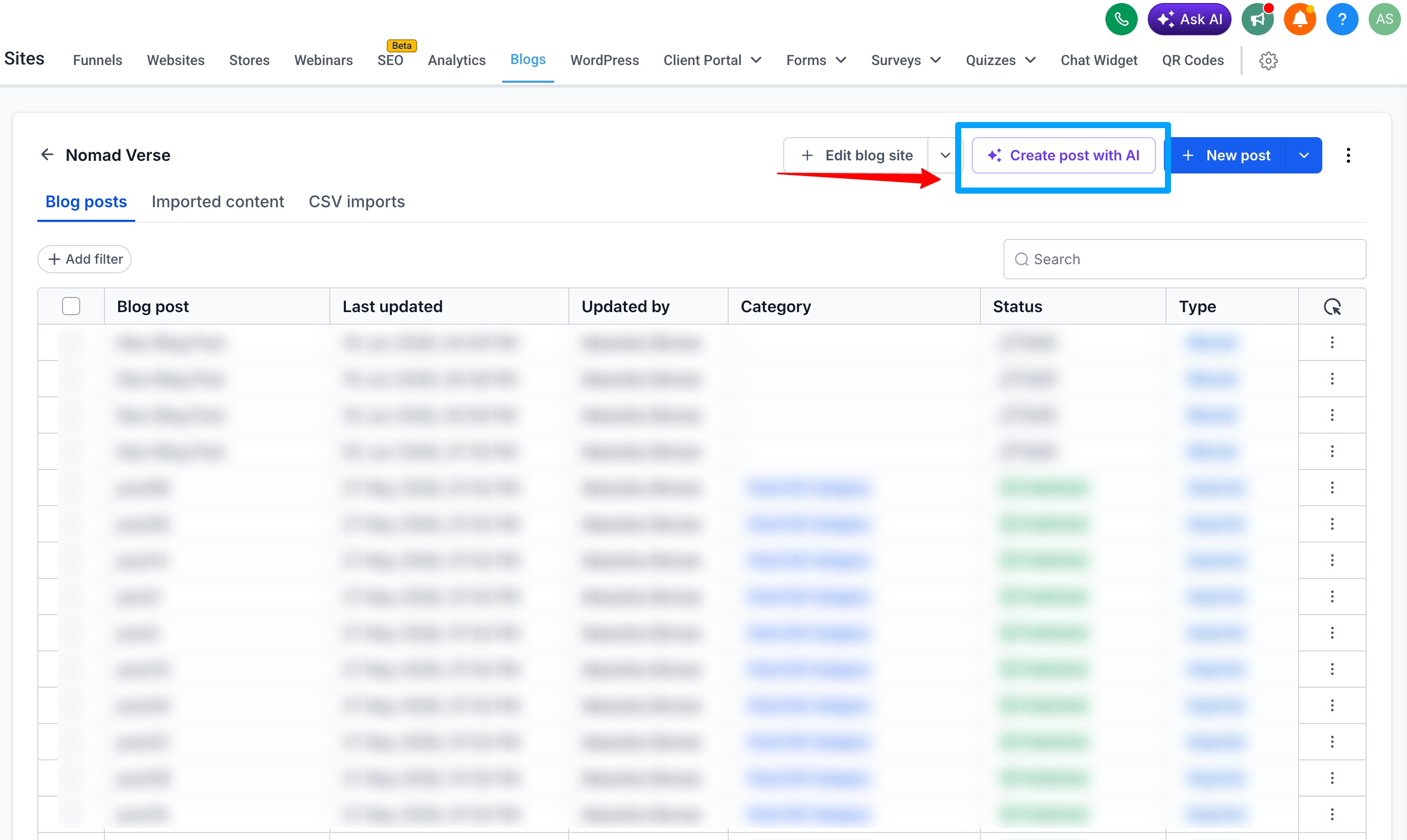
- Go to Sites → Blogs → Create with AI
Note: If you have not enabled Blog Post AI, you can enable is from Beta.
- Enable Apply Brand Boards
- Select a Brand Voice
- Select a Design Kit
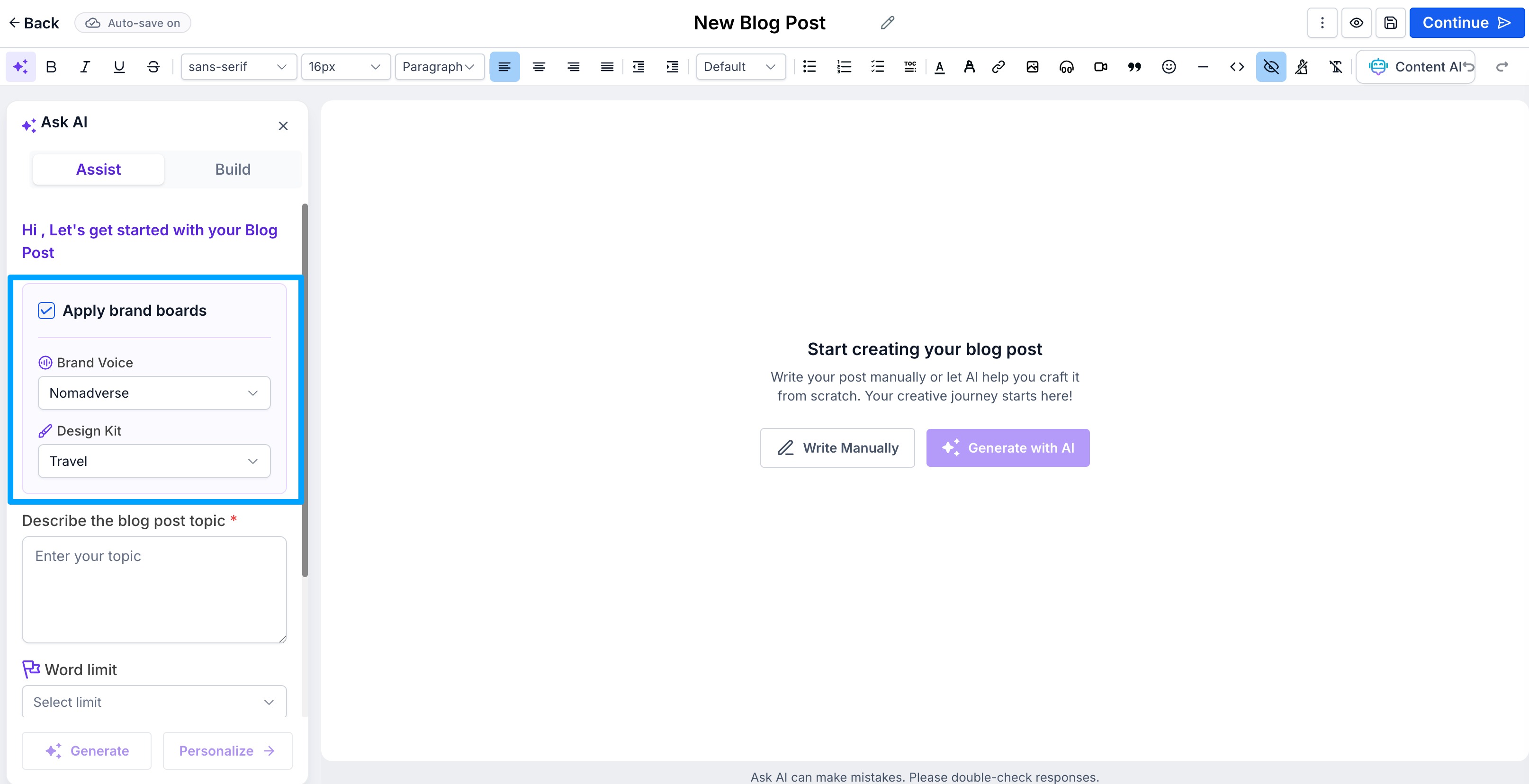
- Generate your blog using Assist Mode or Build Mode
- Review and publish content aligned with your brand guidelines
Why it matters
- Generate content that feels uniquely on-brand
- Maintain consistency across all AI-generated blogs
- Reduce time spent editing AI output
- Create a cohesive content and design experience
- Scale content production without sacrificing brand identity
Notes
- Start using Blog Post AI by enabling it from Beta
- Brand Voice and Design Kit selection is optional during blog generation
- New brand assets can be created directly from the Blog AI workflow
- Works across both Assist Mode and Build Mode
Was this article helpful?
That’s Great!
Thank you for your feedback
Sorry! We couldn't be helpful
Thank you for your feedback
Feedback sent
We appreciate your effort and will try to fix the article